DominzyLoaded Tech : Tech News DominzyLoaded Tech : Tech News
Showing posts with label Tech News. Show all posts

Meta Adds New Features To WhatsApp

Meta Adds New Features To WhatsApp

Meta Adds New Features To WhatsApp
Meta has announced new features for WhatsApp as part of its new Meta One subscription service, giving users more options to personalise the app, manage chats and handle backups.

The announcement was made on September 15, 2026, when Meta introduced Meta One, a subscription service bringing together more than 50 features across WhatsApp, Instagram, Facebook and Meta AI. The standard WhatsApp experience will remain free, while some additional features will be available to subscribers.

WhatsApp Plus Gets More Features

The new WhatsApp features are being introduced through WhatsApp Plus, Meta's paid subscription option for users who want additional features beyond the standard app.

WhatsApp Plus includes extra personalisation options such as custom themes and icons, special sticker effects and the ability to pin more chats. Meta is now preparing more features for the service, including new options for backups and chat management.

Chat And Media Backup Storage Is Coming

One of the new features Meta is preparing to test is additional storage for WhatsApp chat and media backups.

This is aimed at users who want more space to keep backups of their conversations and media files. Meta has not presented the feature as a replacement for the existing free WhatsApp experience. Instead, it is part of the additional features being tested through WhatsApp Plus.

WhatsApp Will Test Focus Schedules

Another upcoming feature is Focus Schedules.

The feature will allow users to set specific times for selected chats to be muted or hidden. This could make it easier to keep certain conversations out of the way during periods such as work, study or sleep.

Rather than manually muting or hiding chats every time, users will be able to set a schedule for when those controls should apply.

More Personalisation For WhatsApp Users

WhatsApp Plus also gives subscribers more ways to change the appearance of the app.

Users can access additional themes, icons and sticker effects, while the option to pin more chats can make frequently used conversations easier to find.

These features are aimed at users who want more control over how WhatsApp looks and how their chats are organised.

Meta One Brings More Features Together

Meta One is not limited to WhatsApp.

The subscription service combines features from WhatsApp Plus, Instagram Plus and Facebook Plus, along with expanded access to some Meta AI tools. Meta says more than 50 features are available across its apps as the service begins rolling out.

The higher Meta One plans also provide greater access to AI features for creating and editing images and generating videos using Meta's Muse models.

WhatsApp Will Remain Free

The introduction of WhatsApp Plus does not mean that users have to pay to continue using WhatsApp.

Meta says the core experience across its apps will remain free. The paid subscriptions are for users who want additional features and expanded access to certain tools.

This means users who do not want the extra features can continue using WhatsApp without subscribing to WhatsApp Plus.

What WhatsApp Users Need To Know

The latest changes are mainly about giving users more options rather than changing the basic way WhatsApp works.

WhatsApp Plus subscribers will get access to additional personalisation features, while Meta is preparing tests for chat and media backup storage and Focus Schedules. Availability of specific features can depend on the user's account, location and rollout stage.

For regular WhatsApp users, messaging and other core features will continue to be available without a subscription.

Microsoft Fixes 974 Security Flaws In September Windows Update

Microsoft Fixes 974 Security Flaws In September Windows Update

Microsoft Fixes 974 Security Flaws In September Windows Update
Microsoft has released its September 2026 security updates, addressing hundreds of security vulnerabilities across its products in one of the company's biggest Patch Tuesday releases.

Security researchers counted 974 vulnerabilities addressed in the release, including 113 rated critical. The update also includes fixes for two vulnerabilities that were already being exploited.

The unusually large number of fixes means Windows users and organisations should install the available security updates rather than delay them.

Microsoft Releases September Security Updates

Microsoft's September Patch Tuesday update was released on September 8, 2026.

The fixes cover Windows and several other Microsoft products and services. Researchers have described the release as the largest Patch Tuesday security update recorded by Microsoft.

The vulnerabilities include different types of security flaws, with elevation-of-privilege and remote-code-execution vulnerabilities among the major categories addressed in the update.

Two Vulnerabilities Were Already Being Exploited

One of the main concerns with this month's update is that two of the vulnerabilities had already been exploited before Microsoft released its fixes.

Both are elevation-of-privilege vulnerabilities affecting Windows. Such flaws can allow an attacker who has already gained access to a system to obtain higher levels of control.

The inclusion of actively exploited vulnerabilities makes installing the September security update particularly important for affected Windows systems.

113 Vulnerabilities Rated Critical

Among the vulnerabilities addressed this month, 113 were rated critical by Microsoft, according to security researchers tracking the release.

Critical vulnerabilities can present serious risks when exploited, particularly when they affect widely used software or can be used to execute malicious code.

The September update therefore covers more than routine bug fixes and includes security issues that require attention.

What Windows Users Should Do

Windows users should check for the latest available updates on their computers.

To check for updates on Windows 11:

  1. Open Settings.
  2. Select Windows Update.
  3. Click Check for updates.
  4. Download and install available updates.
  5. Restart the computer if required.

The exact update available will depend on the version of Windows installed on the device.

Why You Should Not Delay Windows Updates

Security updates are released to fix vulnerabilities that could potentially be used against computers.

Delaying updates leaves known security weaknesses unpatched for longer. This is particularly important when vulnerabilities are already being exploited.

For home users, keeping Windows updated is one of the simplest ways to maintain the security of a computer.

The Update Covers More Than Windows

Although Windows users are directly affected by the operating system updates, Microsoft's September security release covers a much wider range of products.

The September fixes also address vulnerabilities affecting products and services including Microsoft Office, Exchange Server, SharePoint Server, SQL Server and other Microsoft technologies.

This makes the update particularly important for businesses and organisations that rely on Microsoft's wider software ecosystem.

Microsoft Has Released A Record Number Of Fixes

The size of September's release stands out compared with Microsoft's previous monthly updates.

CrowdStrike counted 972 Microsoft vulnerabilities in the September release, while other security trackers reported 973 or 974 depending on how the vulnerabilities were counted.

Regardless of the slight difference in counting, security researchers agree that September's release represents an unusually large Microsoft security update.

Install The September Update

Windows users should check their devices for the September 2026 security updates and install them when available.

With two vulnerabilities already being exploited and more than 100 rated critical, leaving the updates pending for an extended period could expose systems to known security weaknesses.

For most users, checking Settings > Windows Update is the simplest way to see whether the latest security updates are ready to install.

Apple Launches iPhone 18 Pro With New AI Features

Apple Launches iPhone 18 Pro With New AI Features

Apple Launches iPhone 18 Pro With New AI Features
Apple has launched the iPhone 18 Pro and iPhone 18 Pro Max with new AI features, a more powerful A20 Pro chip and major camera upgrades. The new Pro models are designed to handle more advanced on-device AI tasks while keeping privacy and security at the centre of Apple's approach.

The iPhone 18 Pro models also introduce a new version of Siri, improved Apple Intelligence features and AI-powered tools for photos and the camera. Apple announced the devices on September 9, 2026, with pre-orders starting September 12 and sales beginning September 18.

iPhone 18 Pro Gets New Siri AI

One of the biggest AI additions to the iPhone 18 Pro is Siri AI.

Apple says the new Siri is more personal, capable and conversational. It can understand personal context and help users find information across messages, emails, photos and other content.

Siri AI can also understand what is displayed on the screen and take actions based on what the user is viewing. This allows users to ask Siri about content on their screen instead of manually copying information into another app.

Siri AI is rolling out as a beta with iOS 27. Apple says it will initially support English, with French, Japanese, Korean, Portuguese and Spanish support coming in October.

A20 Pro Powers The iPhone 18 Pro AI Features

The iPhone 18 Pro is powered by Apple's new A20 Pro chip, which is built using a 2-nanometre process.

The chip includes a new 6-core CPU, 7-core GPU and Dual 16-core Neural Engine. Apple says the Neural Engine provides twice the AI processing power of the previous generation, helping the phone handle on-device AI models and computational photography.

The A20 Pro also has 50 per cent more memory bandwidth than the A19 Pro and is designed to deliver improved performance for demanding applications and games.

Apple Brings AI To The Camera

The iPhone 18 Pro also uses AI and computational photography to improve its camera capabilities.

The phone features a new 48MP Fusion Main camera with variable aperture. The aperture can automatically adjust in darker environments to allow more light into the camera.

Apple has also introduced improved Photographic Styles with new texture and grain controls. Users can adjust colour and skin qualities together when creating a particular look.

The Camera app also gets new Pro controls that allow users to manually adjust settings such as aperture, shutter speed and white balance.

Apple Introduces Reference Image For Photo Authenticity

Another major addition is Apple Reference Image.

The feature allows an iPhone 18 Pro to capture signed sensor data when a photo is taken in Reference mode. Apple says this creates an unalterable reference image that can be compared with an edited version to determine whether changes have been made.

Apple is positioning the feature as a way to help people verify the authenticity of photographs, particularly as AI-generated and AI-edited images become more common.

The company also says image metadata and support for the SynthID standard can help identify images generated or edited with AI.

Siri Can Understand What The Camera Sees

Apple is also bringing AI directly into the Camera app.

With Siri mode in the Camera app, users can get information and take action based on what is in front of the camera. This gives the iPhone 18 Pro another way to use AI beyond traditional text-based requests.

Users can also use Siri to describe what they need rather than navigating through several menus manually.

Apple Intelligence Gets More AI Features

The iPhone 18 Pro runs iOS 27 with Apple Intelligence.

Apple Intelligence adds several AI-powered features across the system. Users can improve photos with tools such as Spatial Reframing, Extend and an upgraded Clean Up feature.

Image Playground can also create photorealistic imagery, while Safari gets Notify Me, which can monitor web pages for changes such as product restocks or price drops.

Apple Focuses On Private AI

Apple is continuing to emphasise privacy as it expands AI on the iPhone.

Apple Intelligence uses on-device processing where possible, while Private Cloud Compute handles tasks that require additional processing. Apple says the approach is designed to extend the privacy and security of the iPhone into the cloud.

This means the iPhone 18 Pro's AI features are not simply dependent on sending every request to remote servers.

iPhone 18 Pro Gets A More Powerful Camera And Performance System

Beyond AI, Apple has upgraded several areas of the iPhone 18 Pro.

The models feature Apple's new 48MP Fusion Main camera with variable aperture, an upgraded Dynamic Island and a redesigned thermal management system.

The new vapor chamber has three times more surface area than the previous generation, helping the phone maintain high performance for longer periods. Apple says the improved thermal system enables up to a 40 per cent gain in sustained performance compared with the previous generation.

iPhone 18 Pro Price And Availability

The iPhone 18 Pro starts at $1,199 in the United States, while the iPhone 18 Pro Max starts at a higher price.

Pre-orders begin on September 12, 2026, with availability starting September 18 in more than 65 countries and regions. Apple says the devices will become available in additional countries and regions from September 25.

iPhone 18 Pro Pushes Apple's AI Strategy Forward

The iPhone 18 Pro represents a major step in Apple's move towards more integrated AI features on its smartphones.

With the A20 Pro chip, a new Siri AI, Apple Intelligence, AI-powered camera features and Apple's privacy-focused approach to AI processing, the new Pro models combine artificial intelligence with the phone's existing apps and hardware.

Apple is making AI a bigger part of how users interact with the iPhone rather than limiting it to standalone AI tools.


Google Adds New AI Features To Search

Google Adds New AI Features To Search

Google Adds New AI Features To Search
Google has added a range of new AI features to Search as it continues to integrate artificial intelligence more deeply into the way people find information online. The updates include a new AI-powered Search box, improvements to AI Mode, Search agents and more personalised search features.

The changes were announced as part of Google’s 2026 AI updates and are designed to make Search more capable of handling longer questions, different types of content and tasks that require more than a traditional search query.

Google Upgrades AI Mode With Gemini 3.5 Flash

Google has upgraded AI Mode in Search with Gemini 3.5 Flash as its default model globally. The model is designed to handle complex questions and multi-step tasks while providing faster responses.

Gemini 3.5 Flash is also capable of working with different types of information, allowing Search to handle more advanced queries and generate richer responses.

Search Gets A New AI-Powered Search Box

Google has redesigned the Search box with AI capabilities in what it describes as its biggest Search box upgrade in more than 25 years.

The new Search box can understand longer and more detailed questions and provide AI-powered suggestions while users type. It also supports different types of inputs, including text, images, files, videos and Chrome tabs.

Google has also connected AI Overviews more closely with AI Mode. Users can ask follow-up questions directly from an AI Overview and continue the conversation in AI Mode without losing the context of the search.

Google Introduces Search Agents

Another major addition is Information Agents, which can monitor topics on behalf of users.

Users can set up an agent to look for new information about a particular subject and continue checking relevant sources in the background. Google says the agents can monitor web sources, news, social posts and other fresh information.

The feature is being introduced first to Google AI Pro and Ultra subscribers.

Search Can Create Interactive Results

Google is also bringing generative interfaces to Search.

Instead of returning only text and links, Search can create customised layouts, visual tools, graphs, tables and simulations based on what a user is asking.

The feature uses Gemini 3.5 Flash and Google's agentic coding capabilities to generate responses in formats suited to particular queries.

Google Expands Personal Intelligence

Google is also expanding Personal Intelligence in AI Mode.

The feature can use information from connected Google services such as Gmail and Google Photos to provide more personalised results. Google announced an expansion to nearly 200 countries and 98 languages, making the feature available to more users without requiring a subscription.

AI Mode Makes Search More Conversational

The new features make Google Search less dependent on short keyword searches.

Users can ask detailed questions, provide files or images and continue with follow-up questions. Search can also maintain the context of a conversation as users move from an AI Overview into AI Mode.

Google is also continuing to support traditional search results and links alongside its AI features.

Google Is Changing How Search Works

The latest Google Search updates show how the company is moving beyond traditional keyword-based search towards AI-assisted research and task completion.

With Gemini 3.5 Flash, AI Overviews, AI Mode, Information Agents, generative interfaces and Personal Intelligence, Google is adding more ways for users to ask questions and receive information through Search.


Google Rolls Out New Android Features In September 2026 Update

Google Rolls Out New Android Features In September 2026 Update

Google has started rolling out a new set of features for Android users as part of its September 2026 update.

The latest Android update introduces several useful improvements, including new Gemini-powered tools, a feature designed to help reduce motion sickness, improved accessibility features and new ways to personalise Google Messages.

The rollout will vary depending on the Android device, Android version and country, so some users may receive certain features before others.

Gemini Can Remember Where You Put Things

One of the notable additions is a new Gemini feature that works with Google's Find Hub.

Users can tell Gemini where they have placed an item, such as their keys or passport. Gemini can save that information in Find Hub, allowing users to ask about the item's location later.

Users can also add a photo of the item to provide additional context.

The feature is available on supported devices running Android 16 or later in selected countries.

Android Gets A New Motion Sickness Feature

Google is also introducing Motion Assist, a feature designed to make it easier to use a phone while travelling.

Motion sickness can occur when there is a mismatch between what a person sees on a screen and the movement they feel while inside a moving vehicle.

Motion Assist displays subtle bubbles on the screen that move according to the vehicle's motion. Google says this can help reduce the visual mismatch that contributes to motion sickness.

The feature is available on devices running Android 17 and can be accessed through Quick Settings.

Gemini Live Gets Guided Vision

Another major addition is Guided Vision, which expands the capabilities of Gemini Live.

The feature uses the phone's camera and Gemini to help users understand what is around them. It can describe objects, read text and provide information about items captured by the camera.

Google says Guided Vision can be particularly useful for people who are blind or have low vision.

The feature is rolling out to supported Android devices in countries where Gemini is available.

Google Keep Comes To Google Messages

Google is also making collaboration easier by bringing Google Keep into Google Messages.

Users can create and share notes and lists directly from conversations. This could be useful when planning trips, creating shopping lists or organising activities with friends and family.

Instead of switching between different apps, users can work with shared information while staying inside their messages.

Google Messages Gets More Customisation

The September 2026 update also gives Google Messages users more ways to personalise their conversations.

Users can customise individual chats with different backgrounds and colours. They can choose from available options or use their own photos as conversation backgrounds.

The changes give users more control over how individual conversations look and feel.

The Update Brings More AI To Android

Artificial intelligence is becoming a bigger part of Google's Android ecosystem, and the September 2026 update continues that trend.

Gemini is now being used for more everyday tasks, from remembering where items were placed to helping users understand their surroundings.

At the same time, Google is adding features that focus on accessibility and convenience rather than simply adding AI for the sake of it.

When Will The New Features Arrive?

Google has begun rolling out the September 2026 Android features, but availability will depend on the device and region.

Some features require newer versions of Android, while others depend on whether specific Google services are available in a particular country.

This means Android users may not see all of the new features immediately, even if their device is eligible for the update.

More Useful Features Coming To Android Users

Google's September 2026 update shows the company's continued effort to make Android more useful through a combination of artificial intelligence, accessibility and personalisation.

The ability to remember where items were placed, reduce motion sickness and use Gemini to understand objects could prove particularly useful in everyday situations.

With more features expected to be added to Android over time, Google's latest update is another step towards making AI a more integrated part of the Android experience.

Google Introduces Selfie Video Sign-In Feature To Improve Account Security

Google Introduces Selfie Video Sign-In Feature To Improve Account Security

Google Introduces Selfie Video Sign-In Feature To Improve Account Security
Google has introduced a new selfie video sign-in feature designed to provide users with an additional way to verify their identity when accessing their accounts. The security update highlights the company's continued efforts to make account recovery and authentication easier while adding stronger protection against unauthorised access.

The new feature allows users to confirm their identity through a short selfie video instead of relying only on traditional verification methods. According to Google, the system uses video-based identity checks to help users securely regain access to their accounts when other sign-in options are unavailable.

How Google’s Selfie Video Sign-In Works

The selfie video feature is designed to provide an extra layer of identity verification during account access and recovery processes. Instead of submitting only a still image, users record a short video that allows Google's systems to confirm that the person attempting to access the account is a real individual.

The process is intended to reduce the risk of impersonation and make it more difficult for unauthorised users to bypass security measures. By using video verification, Google can analyse additional details that are not available from a single photograph, helping to improve confidence during identity checks.

The feature is expected to be particularly useful for users who have lost access to their usual verification methods, such as a phone number, security key or other recovery options.

Why Google Is Expanding Identity Verification Options

As more personal and professional activities move online, protecting digital accounts has become increasingly important. Google Accounts are connected to a wide range of services, including email, cloud storage, online documents and mobile devices.

A compromised account can expose sensitive information and affect access to important digital services. By introducing more verification options, Google aims to give users additional ways to prove ownership while strengthening overall account security.

The selfie video approach also reflects a wider industry move towards more flexible authentication methods that combine security with convenience. Many users prefer simple verification processes that do not require remembering additional passwords or carrying physical security devices.

Moving Beyond Traditional Password Protection

Passwords have remained a common method of protecting online accounts for decades, but they also come with challenges. Weak passwords, reused login details and phishing attacks continue to create security risks for internet users.

Technology companies have increasingly introduced alternative methods such as passkeys, biometric authentication and identity verification tools to improve account protection. Google's selfie video feature joins these efforts by offering another option for users who need to confirm their identity.

While passwords are still widely used, the growth of advanced verification methods suggests that the future of online security will involve multiple layers of protection working together.

Benefits For Google Account Users

The introduction of selfie video verification could make account recovery more convenient for users who face difficulties accessing their accounts. Instead of depending on a single recovery method, users may have another option to confirm their identity.

The feature may also help reduce frustration during account recovery by providing a faster and more straightforward verification process. For people who frequently use Google services across multiple devices, easier account access can improve their overall digital experience.

Beyond convenience, stronger verification tools can help users feel more confident about the safety of their personal information stored online.

The Growing Importance Of Digital Security

The launch comes at a time when online security remains a major concern for individuals and businesses worldwide. Cyber threats such as phishing, account theft and identity fraud continue to affect millions of internet users.

As digital services become more deeply integrated into everyday activities, companies are under increasing pressure to develop security solutions that are both effective and easy to use. Features like selfie video verification demonstrate how technology companies are exploring new approaches to protect user accounts.

However, successful adoption will depend on ensuring that these systems remain secure, reliable and accessible to a wide range of users.

A Move Towards Safer Account Access

Google is expected to continue improving its account security tools as user needs and online threats evolve. The introduction of selfie video verification shows the company's focus on creating more flexible ways for people to protect and recover their accounts.

For users, the development represents another step towards a future where accessing online services becomes both safer and more convenient. As authentication technology continues to advance, digital identity verification is likely to become an increasingly important part of everyday online experiences.

Google's selfie video sign-in feature marks another development in the ongoing effort to improve account security while making verification easier for users. As more people depend on digital platforms for communication, work and personal services, stronger and more convenient security options will remain essential.

Tech Giants Increase Investment in AI Devices as Competition Intensifies

Tech Giants Increase Investment in AI Devices as Competition Intensifies

Tech Giants Increase Investment in AI Devices as Competition Intensifies
The race to dominate the artificial intelligence (AI) hardware market is entering a new phase as the world's biggest technology companies significantly increase investment in AI-powered devices. With AI rapidly transforming how people work, communicate and access information, leading firms are expanding their focus beyond software to create smarter devices capable of delivering advanced AI features directly to users.

The growing investment reflects a broader shift across the technology industry, where AI is becoming a defining feature of modern consumer electronics. Rather than relying solely on cloud-based computing, manufacturers are designing devices that can process AI tasks locally, enabling faster performance, greater efficiency and a more seamless user experience.

Why AI Devices Are Becoming A Major Focus

Artificial intelligence has evolved from an emerging technology into one of the industry's biggest growth drivers. Over the past few years, AI has become increasingly integrated into search engines, productivity tools, digital assistants and creative applications. The next stage of this evolution is taking place in the devices people use every day.

Technology companies are now embedding AI capabilities into smartphones, laptops, tablets, wearable devices and smart home products. By processing AI functions directly on hardware, these devices can respond more quickly, operate with lower latency and continue performing many intelligent tasks even when internet connectivity is limited.

This transition also allows manufacturers to optimise battery performance while delivering more advanced features that improve the overall user experience.

Competition Is Accelerating Innovation

As consumer demand for AI-powered technology continues to grow, competition among major technology companies has become more intense than ever. Manufacturers are investing billions of dollars in research and development to create devices capable of handling increasingly sophisticated AI workloads.

A key area of investment is the development of specialised AI processors. Unlike traditional chips, these processors are designed specifically to perform AI-related tasks such as image recognition, natural language processing and real-time data analysis more efficiently.

The introduction of these dedicated processors is expected to make future devices faster, smarter and more energy-efficient while supporting a broader range of intelligent applications.

AI Features Becoming Standard

Artificial intelligence is quickly moving from being a premium feature to becoming a standard part of many consumer devices. New smartphones are already offering AI-powered photography, live language translation, intelligent voice assistants and advanced writing tools.

Laptop manufacturers are introducing AI features that can improve video conferencing, reduce background noise, enhance productivity and automate repetitive tasks. Wearable devices are also becoming more intelligent by using AI to monitor health, analyse fitness performance and deliver personalised insights.

As these capabilities continue to expand, AI is expected to become deeply integrated into everyday digital experiences.

Growing Opportunities For Consumers

The increased investment in AI devices is expected to bring several benefits for consumers. Faster on-device processing allows many AI functions to operate without relying heavily on cloud servers, resulting in quicker response times and a smoother overall experience.

Consumers are also likely to enjoy more personalised technology. AI systems can learn user preferences over time, helping devices recommend relevant content, simplify daily tasks and improve accessibility for people with different needs.

For professionals, students and content creators, AI-powered devices can boost productivity by assisting with writing, organisation, image editing, video production and information management. These tools continue to evolve, making complex tasks easier to complete while saving valuable time.

Businesses See AI Hardware As The Next Growth Market

For technology companies, AI devices represent more than just a new product category. They are increasingly viewed as a long-term growth opportunity capable of reshaping the consumer electronics industry.

Businesses are expanding partnerships with semiconductor manufacturers, software developers and cloud service providers to build stronger AI ecosystems. The goal is to deliver connected experiences where smartphones, computers, wearables and smart home devices work together more intelligently.

This strategy is also encouraging increased investment in custom-designed chips, advanced software platforms and AI-focused research, helping companies differentiate themselves in an increasingly competitive marketplace.

The Future Of Consumer Technology

Industry observers believe AI devices will continue to play a larger role in everyday life as technology becomes more capable of understanding user behaviour and responding to individual preferences. Future innovations are expected to make digital assistants more conversational, creative tools more intelligent and connected devices better able to automate routine activities.

As AI capabilities continue to improve, consumers are likely to see a wider range of products designed to deliver faster performance, greater convenience and more personalised digital experiences. The growing emphasis on on-device AI is also expected to support new applications across education, healthcare, entertainment and business.

The increasing investment by technology giants highlights how artificial intelligence has become one of the most important drivers of innovation in the technology sector. As competition intensifies, companies are accelerating the development of smarter devices that promise to transform the way people interact with technology. For consumers, the result is likely to be a new generation of AI-powered products that are faster, more capable and better equipped to meet the demands of everyday life.

iPhone 18 Pro Max: Apple’s Boldest Leap Yet

iPhone 18 Pro Max: Apple’s Boldest Leap Yet

Apple’s upcoming iPhone 18 Pro Max, expected in September 2026, is shaping up to be one of the most ambitious smartphones ever. With a redesigned display, powerhouse performance, and DSLR-like camera features, it’s clear Apple wants this device to stand out.

iphone 18 pro max smartphhone


Key Highlights

  • Design Evolution: Smaller Dynamic Island, under-display Face ID, and new premium colors (Dark Cherry, Burgundy, Coffee Brown, Light Blue).
  • Performance Boost: The new A20 Pro chip (2nm) promises ~30% faster speeds and improved efficiency.
  • Camera Revolution: A variable aperture main lens and triple 48MP setup bring professional-level photography to your pocket.
  • Battery Upgrade: A massive 5,100 mAh battery with faster 40W charging ensures all-day power.
  • Connectivity: Apple’s in-house C2 modem enhances 5G and satellite internet capabilities.


Comparison: iPhone 17 Pro Max vs iPhone 18 Pro Max

FeatureiPhone 17 Pro MaxiPhone 18 Pro Max
ChipsetA19 Pro (3nm)A20 Pro (2nm)
Dynamic IslandStandard sizeSmaller, sleeker
CameraFixed apertureVariable aperture
Battery~4,500 mAh~5,100 mAh
Charging~30W~40W
ColorsOrange, Blue, BlackDark Cherry, Burgundy


Pricing & Availability

  • US starting price: $1,199
  • India estimate: ₹1,49,900
  • Nigeria estimate: ₦1,500,000+

Launch is expected in late September 2026, with availability in major markets by October.


Things to Watch

  • Heavier build (~240g) may affect comfort.
  • Premium storage models (1TB–2TB) could see steep price increases.
  • Apple may also unveil a foldable iPhone Ultra, potentially stealing the spotlight.


Final Thoughts

The iPhone 18 Pro Max isn’t just another yearly refresh — it’s Apple’s attempt to redefine what a smartphone can be. From its DSLR-inspired camera to its record-breaking battery, this device is built for power users, creators, and anyone who wants the very best.


iOS 26: 25+ New Features That Will Change Your iPhone Forever


IOS 26

iOS 26: 25+ New Features That Will Change Your iPhone Forever

Discover all the new iOS 26 features in Apple’s biggest iPhone update of 2025. From AI-powered Apple Intelligence to the Liquid Glass design, here’s everything you need to know.

Apple has officially rolled out iOS 26, and it’s packed with some of the biggest iPhone upgrades we’ve seen in years. From a stunning new Liquid Glass design language to game-changing AI features with Apple Intelligence, iOS 26 isn’t just a minor update—it’s a complete transformation of how your iPhone looks, feels, and works.

If you’re in the U.S. and wondering “What’s new in iOS 26?”, here’s your ultimate breakdown of the best iOS 26 features you need to know about.


๐ŸŽจ iOS 26 Redesign: Liquid Glass

Apple has introduced a whole new design called Liquid Glass:

  • More translucent, glass-like visuals

  • Smooth, fluid animations

  • 3D wallpapers with spatial depth

  • Customizable app icons and widgets

  • A redesigned Lock Screen with widgets at the bottom for quick access

Think of it as the biggest iPhone design refresh since iOS 7.


๐Ÿง  Apple Intelligence: AI Comes to iPhone

The star of iOS 26 is Apple Intelligence, Apple’s take on on-device AI:

  • Live Translation in Phone, Messages, and FaceTime

  • Visual Intelligence that recognizes products, events, and more

  • Genmoji & Image Playground for next-level emoji and image creation

  • AI-powered summarization of texts, emails, and even orders

  • Shortcuts boosted by AI for personalized automations

This means Siri and your iPhone just got a lot smarter.


๐Ÿ“ž Phone & Messages Upgrades

iOS 26 supercharges communication:

  • Call Screening to filter unknown numbers

  • Hold Assist to notify you when a live agent answers

  • A refreshed Phone app with all tabs in one place

  • Message Screening for unknown senders (they’re silenced)

  • Group chat polls, custom chat backgrounds, and Apple Cash in iMessage groups

If spam calls and random texts drive you crazy, iOS 26 will feel like a lifesaver.


๐Ÿš— CarPlay & Maps

Drivers in the U.S. will love this:

  • CarPlay now supports widgets and Live Activities

  • Compact call views so calls don’t block navigation

  • Maps gets Visited Places, smarter route suggestions, and live delay alerts


๐ŸŽต Apple Music Gets Smarter

Music lovers, rejoice:

  • Lyrics Translation so you can understand songs in any language

  • Lyrics Pronunciation for karaoke sessions

  • AutoMix for DJ-style transitions between tracks


๐Ÿ’ณ Wallet & Payments

Apple Wallet is more powerful:

  • Sleek new boarding pass designs

  • Share live flight updates with family and friends

  • Better integration with rewards programs and installment plans


♿ Accessibility & Privacy

Apple doubled down on accessibility:

  • Accessibility Reader for customizable reading

  • Braille Access for those using braille displays

  • Stricter message and call privacy filters


Should You Upgrade to iOS 26?

Absolutely. Between the Liquid Glass design, AI-powered Apple Intelligence, and major upgrades in Phone, Messages, Music, and Maps, iOS 26 is the most important iPhone update in years.

If you’re in the U.S., this is your chance to experience the iPhone on a whole new level.


Final Takeaway: iOS 26 is more than an update—it’s Apple’s bold step into the AI era. Whether you’re upgrading for the new Liquid Glass look, the AI smarts, or the smarter communication tools, this update is a must-install.

Netnaija

๐Ÿ‘‰ What’s the first iOS 26 feature you’re excited to try? Drop a comment below!

10 GPTs That Have Gone Viral Which Were Built Using GPT Builder

 10 GPTs That Have Gone Viral Which Were Built Using GPT Builder


Chat gpt logo
In the ever-evolving landscape of artificial intelligence, the advent of GPT Builder has sparked a revolution. This powerful tool has empowered creators worldwide to craft their own unique GPTs, leading to an influx of innovative applications.

In this blog post, we'll explore the fascinating realm of 10 GPTs built using GPT Builder that have not only captivated audiences but also gone viral, reshaping the way we interact with AI-generated content. 


Join us on a journey through the virtual corridors where these intelligences have left an indelible mark.

1. LogoGPT

Created by Sai Rahul

It helps to convert rough sketches into logos.


2. CuratorGPT

It helps you create listicles and curated content.

Created by Lahkyani.


3. What Should I Watch?

Using this GPT, you can get movie and TV show recommendations based on your taste.

Created by Ammaar Reshi.


4. MetabolismBoosterGPT

I have a slow metabolism, hence for people like me, I’ve created MetabolismBoosterGPT.

Created by Lahkyani.


5. HormoziGPT

Created by Alex Northstar

Get to know more about how you can boost your business from the principles followed by Hormozi.


6. Grimoire

Code anything with a sentence.

Created by Nick Dobos.


7. KoeGPT

It helps you prepare for a better life on the principles of Dan Koe.

Created by Alex Northstar.


8. Retro adventures

Created by Gfodor

Create a retro style adventure video game on demand by just telling it what fictional world you want to be in.


9. MuskGPT

Created by Alex Northstar

Get advice from the legendary Elon Musk in this GPT.


10. GIF-PT

You can create a GIF using this GPT.

I hope you found this post helpful. Do well to share this post by clicking any of the social media button below.

Also join our Telegram Channel for free

₦2.9 Billion Hacked From Flutterwave Accounts

₦2.9 Billion Hacked From Flutterwave Accounts

Flutterwave wave hacked icon text

The sum of ₦2,949,557,867 has been illegally transferred from the accounts of Nigerian owned African fintech unicorn, Flutterwave.


On February 19, 2023, Flutterwave’s legal counsel, Albert Onimole, reported the case to the Deputy Commissioner of Police, State Criminal Intelligence Department, Panti, Yaba, Lagos.

Per Onimole’s letter, the hack on Flutterwave’s accounts occurred about 2 weeks ago from February 13. It was said that the money was initially transferred to 28 accounts in 63 transactions. While the incident was reported to the police on February 13, 2023, with the list of accounts that had received the money, the police could not freeze the funds.

According to Flutterwave, some commercial banks allowed the money to be moved to other accounts, widespreading the money trail.

To investigate accounts holding the stolen funds across various financial institutions in Nigeria, S.A. Adedesin, Legal Officer, State CID, Panti, Yaba, Lagos, filed a suit in the Magistrate Court of Lagos (Yaba Magisterial District sitting at Yaba) to support Flutterwave’s claims.

The suit is between the Commissioner of Police and the following financial institutions:

  • Access Bank
  • Providus Bank
  • Union Bank
  • Keystone Bank
  • PalmPay
  • First City Monument Bank (FCMB)
  • Kuda Bank
  • Zenith Bank
  • First Bank of Nigeria
  • Guaranty Trust Bank (GTB)
  • United Bank for Africa (UBA)
  • Polaris Bank
  • Wema Bank
  • Union Bank
  • Sterling Bank
  • Ecobank
  • Paycom
  • Fidelity Bank
  • Eyowo
  • Stanbic IBTC Bank
  • Opay
  • VFD Microfinance Bank
  • Carbon
  • Moniepoint
  • Al-Hayat Microfinance Bank
  • PiggyVest
  • Nomba (previously Kudi)

ALSO READ:


While there are no documents to confirm if the court has ruled in favour of Inspector Micheal’s motion, some people have confirmed that their accounts have been frozen in connection to the hack.

A Twitter user said, “I got a mail from my bank saying I’m a 4th beneficiary to this acclaimed fraud money. This was after over five days after a successful trade. My account is locked can’t access fund inside. Pls is this right? It’s unfair I have zero business with flutter wave or the hack.”

Per the motion filed by Adebesin, 107 accounts, including fifth beneficiaries of those accounts, are to be placed on lien/Post-No-Debit (PND).

With the stolen funds distributed across several accounts, which, according to tweets, may or may not have anything to do with the hack, it is not clear at this time who hacked Flutterwave.

Questions about how hackers got past Flutterwave’s security and what this means for the unicorn’s customers remain unanswered.

Funny enough, Flutterwave has denied the hack through a statement. it said, “we identified an unusual trend of transactions on some users’ profiles. Our team immediately launched a review (inline with our standard operating procedure), which revealed that some users who had not activated some of our recommended security settings might have been susceptible.”

The statement added that Flutterwave was able to address the issue before any harm was done to its users.

However, some Twitter users claim thier accounts were locked as a result of the hack on Flutterwave.

The company said, "We want to reassure you that Flutterwave
has not been hacked. As a financial institution, we monitor transactions through our transaction monitoring systems and 24 hour fraud desk and review any suspicious activity. We collaborate with other financial institutions and law enforcement agencies to keep our ecosystem safe and secure"

Join our Telegram Channel to get faster updates


Check Out 7 New Features Added to the Latest Whatsapp Update You Did Not Know About in 2023

 Check Out 7 New Features Added to the Latest Whatsapp Update You Did Not Know About in 2023


Check Out 7 New Features Added to the Latest Whatsapp Update You Did Not Know About in 2023

Over the years, just like every other apps, WhatsApp has always been rolling out new updates to their apps.


 Why do they do this?

If you are having this question in your mind, the answers is that they roll out new updates to their app whenever they fix bugs or issues on the app or whenever they want to add new features or upgrade existing features to enhance user's experience on the app.

The latest WhatsApp update version 2.23.3.79 (updated in February 2023) comes with great new features that are very interesting. 
Most of this new features are not really noticeable because of the fact that they are upgrades of already existing features on the app, while there are very few noticeable features that arrived on the WhatsApp app for the first time.


I'll be focusing on seven (7) of these features that are very important in your daily WhatsApp usage.

Join me to the end as I list out these features and how to access them.

FEATURES:

1. You can now add captions when sending documents.

In this updated version of WhatsApp, sending of documents with captions has been enabled. Previously, you could only add captions to photos and videos but now, you can also add captions to documents before sending them to your contacts or posting in groups. This Is new feature.
Adding caption to WhatsApp documents


2. Added support for longer group subjects and descriptions to better describe your group.

Group subjects also known as group name, is the part where the title of a group is seen.
Join Us On Telegram
Previously, group subjects only had 30 character spaces for text and emoji when creating or updating a group, but now, it has been extended to 100 character spaces.

This is a great news for group owners that have or intend to use long group subjects.
Updating WhatsApp group subjects and description


3. You can now send up to 100 photos / videos at once.

Previously on WhatsApp, Aside GB WhatsApp and every other modded WhatsApp, you are only allowed to send or post 30 photos/image at once.
In this new WhatsApp update, this feature has been upgraded as you can now send upto 100 photos/videos at once. Wonderful, isn't it?


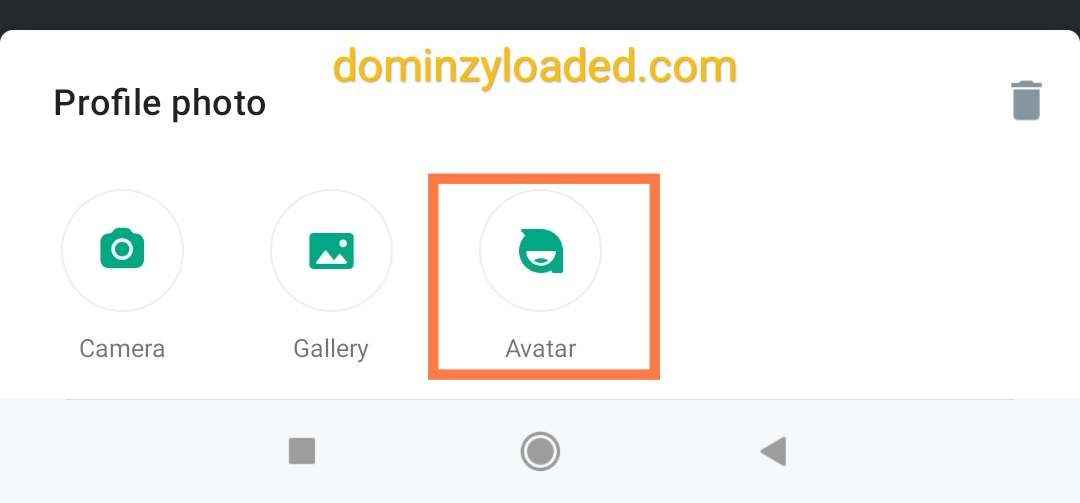
4. You can now create personalized avatars and use them as stickers and profile photos.

If you wish not to use any of your pictures as WhatsApp profile photo, there is an option on WhatsApp that allows you to create and use a personalised avatar of your choice.
 The avatar can also be used as stickers.

To gain access to this new feature,
 Go to Settings > Avatar to get started.

Accessing WhatsApp avatar


WhatsApp avatar settings


5. Voice Status update.

This a very interesting, long awaited feature that WhatsApp just added to it's update. Voice Status update allows users to record and post voice notes on their status. Just like other status update, the voice Status will also delete automatically after 24hrs.

Recording WhatsApp voice status update


How to use WhatsApp voice status?
  • Swipe left to the status tab
  • Click on the pen icon as if you want to type something,
  • Instead of typing, just press and hold the mic icon which is located at the right side of your screen.
  • The recording will start automatically.
WhatsApp voice status update mic icon


The maximum duration for the recording is 30 seconds.
In the coming updates, there will be better enhancement and options to this voice status update such as voice filter etc.


ALSO READ:


6. Deleting selected Images/Photos select for status update by just touching them.

Previously, after selecting Images/photos you wish to upload on your WhatsApp status and you feel like removing some, you would have to go back and unselect them or alternatively tap on the particular image you don't want and them tap the delete icon at the top right of the screen. 

In this latest WhatsApp update, a slight upgrade has been made as you can now delete unwanted selected photos/videos by just tapping on them at the preview panel and it will be removed immediately. See image below.

Deleting selected images on WhatsApp status


This feature is only available for WhatsApp Business users as at when this post was made. It might be made available for normal WhatsApp users in subsequent updates.


7. Polls.

This feature that has been on Telegram for long has now been added to WhatsApp.

WhatsApp poll allows you to send polls to contacts and groups of your choice. Once sent, others users will be allowed to vote on the polls you sent by selecting an option from the multiple options created by you.
As of now, multiple answers can't be selected by others users, unlike on Telegram where you can set whether to allow multiple answers or not.

We hope WhatsApp adds this option to Polls in subsequent updates.
WhatsApp poll option


Hope you learnt something new today?

If you aren't seeing any of these features in your WhatsApp application, kindly rush to Google play store (for Android users) or iOS App store (for iPhone users) and update your WhatsApp to the latest version so that you can start enjoying these awesome features on WhatsApp.

Note that your mobile data needs to be turned or connected to a WiFi with active internet subscription before the update can be successful.

Don't forget to share this post on Facebook and other social media.

Top 3 Survey Creation Tools In 2022


Survey list

Top 3 Survey Creation Tools In 2022

What is survey?

survey is a list of questions aimed for extracting specific data from a particular group of people. Surveys may be conducted by phone, mail, via the internet, and also at street corners or in malls. Surveys are used to gather or gain knowledge in fields such as social research and demography.

Survey research is often used to assess thoughts, opinions and feelings. Surveys can be specific and limited, or they can have more global, widespread goals.
Surveys should be considered with all seriousness in your content strategy.

What is Online Survey?

An online survey is a structured questionnaire that your target audience completes over the internet generally through a filling out a form. Online surveys can vary in length and format. The data is stored in a database and the survey tool generally provides some level of analysis of the data in addition to review by a trained expert

Marketers can create opinion polls to collect customer insights. 
Editors can crowdsource expert tips for creating amazing content around the first-hand experience from users of your products.
 Building a funny quiz will make your story more engaging, prolong page view time, and boost article sharing.


Here are the top 3 survey creation tools you can use to collect and analyze survey data in 2022


1. Survey Monkey

SurveyMonkey is a popular survey tool that allows you to collect responses for a survey, analyze the data, and export it in PDF format for easy sharing amongst other content creators on your team.
SurveyMonkey is used to drive business forward by using the free online survey tool to capture the voices and opinions of the people who matter most to you or your company.

Survey monkey surveymonkey


2. Google Forms

Google Forms is a survey administration software included as part of the free, web-based Google Docs Editors suite offered by Google. The service also includes Google Docs, Google Sheets, Google Slides, Google Drawings, Google Sites, and Google Keep. Google Forms is only available as a web application. The app allows users to create and edit surveys online while collaborating with other users in real-time. The collected information can be automatically entered into a spreadsheet.

If you prefer a free survey solution, Google Forms are the answer. You can create a Google Form with different formats of questions, and Google will automatically create a spreadsheet to collect the answers. While there is no automatic analysis or easy PDF export of the responses, it is easy enough to copy and paste the answers out of the Google Spreadsheet into a document or download responses as .csv files.
Anyone can respond to a form even without a Google Account.

Google forms


3. Typeform 

Typeform makes collecting and sharing information comfortable and conversational. It's a web based platform you can use to create anything from surveys to apps, without needing to write a single line of code.


Typeform allows you to build quizzes with different types of questions, such as general questions, multiple-choice questions, image choice, etc. The content creation tool is user-friendly and integrates to numerous platforms where you will analyze the performance of your surveys. Additionally, it has templates for various fill-in forms, like registration, feedback, application, and so on.

Typeform is used for all kinds of interactions—from job applications, employee feedback, and creative content marketing, to organizing team events, validating product ideas, and handling customer requests.
The software is paid, but there is a free software plan to test.

Typeforms logo


Other survey tools include:
  • SurveySparrow
  • Qualtrics
  • SurveyGizmo (Now Alchemer)
  • QuestionPro
  • Zoho Survey
  • Kwik Surveys
  • Jotform
  • SurveyLegend
  • SoGoSurvey
  • etc.

All You Need To Know About Redmi Note 11 Series (With Prices)


Pictures of Redmi note 11 series

All You Need To Know About Redmi Note 11 Series (With Prices)

Hello guys welcome to my blog.

We will be talking about Xiaomi’s first launch of the year! Which is Redmi Note 11 series. This is the first series in 2022 that made flagship technology more accessible to everyone! If you want to know which redmi Note series is the best, then this post is for you. You will also find out what is special about this Redmi note series

Xiaomi has sold 240 million Redmi Note devices, which means a vast community of people has gotten the chance to experience this mid-range flagship technology.

They brought out 4 great models of the Redmi Note 11 series and they are:
  • Redmi Note 11 Pro 5G
  • Redmi Note 11 Pro
  • Redmi Note 11S
  • Redmi Note 11

The Redmi Note Series is all about bringing flagship tech to the mid-range users!
It is so popular that it won a number of incredible awards given out by some of the most prestigious tech reviewers and media outlets!

Redmi Note is truly well loved across the globe. And it’s also been instrumental in changing lives. Most users have begun to share how Redmi Note 11 has changed their lives in so many different way.

To help you understand what this Redmi Note 11 series has to offer, in this post we will be discussing about their;
Design
Network
Display
Performance
Power etc..

ALSO READ: Redmi 8 Vs Tecno Camon 12 (Full Comparison)

Follow me to the end as I bring to you all things you need to know about the new Redmi Note 11 series.


REDMI NOTE 11 PRO & PRO 5G

DESIGN

Let’s start by checking out the bold new design with stand-out colors and powerful new design features, giving Redmi Note 11 Pro 5G and Pro a whole new look and feel!
Design of Redmi note 11 Pro 5g


The revamped design on Redmi Note 11 Pro 5G and Redmi Note 11 Pro gives off a powerful, bold, and pro feel!


CAMERA

Besides the 108MP main camera, Redmi Note 11 Pro 5G comes with ultra-wide and macro cameras, while Redmi Note 11 Pro comes with ultra-wide, macro, and an additional depth sensor.
108mp camera


That’s the powerhouse camera of Redmi Note 11 Pro 5G and Redmi Note 11 Pro that let you capture the details in all aspects of your life!
Redmi note 11 Pro 5g camera


DISPLAY

Besides a powerful camera, Redmi Note 11 Pro 5G and Redmi Note 11 Pro have a truly flagship-level display!

Redmi Note 11 Pro 5G and Redmi Note 11 Pro’s leading display is powered by AMOLED and a silky smooth 120Hz refresh rate, enhancing your viewing experience!
Overall, this is Redmi Note 11 Pro 5G and Redmi Note 11 Pro ’s flagship-level display: 120Hz AMOLED! 

Wow, isn't that awesome?

ALSO READ

Super smooth, bright, high-contrast, rich, immersively amazing, comfortable, and perfect for all the content you love reading and watching!
120hz amoled display


NETWORK

Redmi Note 11 Pro 5G now comes with incredible 5G capabilities.


PERFORMANCE

Realized by the powerfully efficient Snapdragon® 695 chipset, a leading mid-range processor that gives you near flagship-level processing power!
With a powerful Octa-core fast and smooth processor, the MediaTek Helio G96 is the greatest supporter of Redmi Note 11 Pro.
Overall, Redmi Note 11 Pro 5G and Redmi Note 11 Pro are undeniably powerful, with the all-new Snapdragon® 695 and Mediatek Helio G96!
Redmi Note 11 Pro Snapdragon 695


POWER

The combination of 67W turbo charging as well as the 5000mAh battery is what makes Redmi Note 11 Pro 5G and Redmi Note 11 Pro a powerhouse. The powerful combination will help us achieve an entire day of battery life, with just 15 minutes of charging!
REDMI NOTE 11 Pro 67w charger


With the 67W and 5000mAh powerhouse combo and the addition of a 67W in-box charger, Redmi Note 11 Pro 5G and Redmi Note 11 Pro’s battery and charging experience truly blast past mid-range value!
Redmi Note 11 Pro 5000mah battery


Redmi Note 11 Pro 5G and Redmi Note 11 Pro are amazing devices that easily deliver on the promise of bringing flagship-level tech to the mid-range!


Other two devices are just as incredible as the Pro models. They are RedmiNote 11S and Redmi Note 11! Let's check them out.
REDMI NOTE 11 and 11s


COLOUR

Redmi Note 11S and Redmi Note 11 come in the clean and classic Graphite Gray and the sleek Twilight Blue.


Exclusive to Redmi Note 11S is a gorgeous Pearl White, while the RedmiNote11 has the brilliant Star Blue! Redmi Note 11S and Redmi Note 11 share the same design with the Pro models


CAMERA

Redmi Note 11S comes with an expert-level 108MP camera, the same incredible sensor used in our Pro models!
Redmi Note 11s camera


In addition to the main camera, the 118-degree ultra-wide lens of Redmi Note 11S lets you capture it all, while the macro camera, depth camera, and selfie camera let you snap perfect shots from any angle.

For Redmi Note 11, there is a versatile 50MP quad-camera system that’s perfect for taking shots in any situation! For those what want to snap good pictures and want them fast.
Redmi note 11 50mp quad camera

Redmi Note 11 will give you exactly that with a super versatile setup covering all your bases; Main camera, ultra-wide, macro and depth!

PERFORMANCE/DISPLAY

Not only will Redmi Note 11S and Redmi Note 11 both feature a rich, vibrant AMOLED display in FHD+ clarity, but both will also be running on a smooth and seamless 90Hz high refresh rate!
Redmi note 11 amoled display 90hz


Redmi Note 11S gives you an amazing photography experience enabled by the powerful MediaTek Helio G96!
Redmi Note 11s Mediatek Helio g96


For Redmi Note 11, we wanted to focus on providing a powerful and all-rounded experience, so we’ve used the Snapdragon® 680 processor!
Redmi Note 11 Snapdragon 690


POWER

Redmi Note 11S and Redmi Note 11 will come with a long-lasting 5000mAh battery, with over two days of battery life with 33W Pro fast charging, which charges 26% faster than the previous generation.

Redmi Note 11S and Redmi Note 11 inherited many of the impressive, segment-dominating specs of the Redmi Note 11 Pro, bringing you an exciting experience as well!


You can choose Redmi Note 11 for an incredible daily driver at ultimate value, with a beautiful display a power-efficient processor to handle your everyday gaming and multitasking needs. Also, it keeps you active for days with its massive battery and 33W Pro fast charging!


PRICES

The prices for the Redmi Note 11 series are:
  • Redmi Note 11 Pro 5G - $329
  • Redmi Note 11 Pro - $229
  • Redmi Note 11s - $249
  • Redmi Note 11 - $179
You can convert them to your local currency to know the amount in your country.


In addition, the Redmi Note 11 series runs on MIUI13.
Here's what you need to know about MIUI13:

For MIUI 13 is focused on four elements of user experience and optimization features. They are:
MIUI13 core experience


1. Liquid Storage, a technology that reduces fragmentation. This actively manages your stored data!

2. Atomized Memory. This will help you run more apps at once and enjoy a smoother multitasking experience, having the background process efficiency increased by a massive 40%!

3. Focused Algorithms. It prioritizes the active app above all others, giving you faster speeds and higher performance.

4. Smart Balance, which extends the overall battery life in MIUI 13!


So, here are the 4 main ways that MIUI 13 will elevate your experience to another level.
  •  Faster storage
  • Faster background efficiency
  • Faster processing
  • Longer battery life
It also comes with a side bar for users to gain faster access to their favourite apps.

Let's hear your own review concerning these new redmi note 11 series. What do you love about them?

Do well to Follow us on our other online platforms:


YouTube [tech tutorial videos]